
How I Unlocked Galactic Travel in Star Wars Outlaws
It’s 2026, and I still find myself sinking into the worn seat of the Trailblazer like it’s a second skin. Star Wars Outlaws might have launched two years ago, but its galaxy never stopped whispering my name. The other night, I decided to start a fresh run – no shortcuts, no early access tricks from the later patches – just me, Kay Vess, and the hum of a ship that had yet to earn its wings. I had forgotten how it felt to be stranded on Toshara, watching those distant system markers taunt me from the map. This time, though, I was determined to reach the stars efficiently, and I want to share exactly how I broke free of that planetary cage.
Early on, the game hands you a star chart the size of a bantha’s appetite, but the Trailblazer is just a scruffy freighter with clipped wings. You can admire the other three planets – Kijimi, Akiva, and Tatooine – from your cockpit window, but they’re as unreachable as a half-remembered dream. The key to tearing down that wall is a piece of tech that feels more elusive than a clean blaster on Nar Shaddaa: the hyperdrive. You won’t find it lurking in a side quest or hidden behind a faction grind. The game locks it behind the main storyline, specifically the seventh mission, “The Wreck.” I remember my first playthrough – I spent hours chasing reputation boosts with the Pyke Syndicate, thinking maybe they’d sell me a drive. They didn’t. The hyperdrive is a story reward, pure and simple. Once you complete “The Wreck,” the drive installs itself like a stubborn mule finally accepting a saddle. No fanfare, no docking sequence – just a quiet notification and a universe suddenly pried open.
So on my new 2026 run, I bulldozed through those early missions without letting the shiny side content distract me. It was like ignoring a tray of Corellian pastries while on a diet. Every time a job popped up, I reminded myself: the hyperdrive is a pop-up toaster waiting to eject your freedom; the longer you dawdle, the longer you’re stuck buttering the same stale bread. After the mission, I practically sprinted to the hangar. I sat in the cockpit, that familiar leather groaning under me, and hit the command to take off. The moment I broke atmo and saw the orbital view, my heart did a little swoop. This was where the game truly becomes a smuggler’s playground.
Now for the technical part, which is as simple as it is wondrous. In orbit, you press right on the D-Pad – a tiny gesture that flings open the hyperdrive menu. Think of it as flipping a switch that pulls aside the galaxy’s velvet curtain. A list of systems materializes, each one a silvery invitation. I picked Kijimi first because I missed the crunch of snow under Kay’s boots. After selecting the system, the prompt instructs you to push both analog sticks forward. It’s a two-handed thrust, like revving the throttle on a speeder bike while a Hutt chases you. The stars smear into luminous rivers, or as I like to imagine it, a cloud of startled fireflies fleeing a sudden breeze. The warp animation is still mesmerizing in 2026, even after dozens of jumps. The screen shimmers, the hyperdrive whines, and then you’re there – suspended in a new pocket of space with a new planet glaring up at you.
The next step is just as cinematic. You guide the Trailblazer toward the planet’s glowing curve, and as you approach, a landing prompt appears: press right on the D-Pad again. I often linger here, letting the atmosphere’s edge ripple over the hull like quicksilver. Then I tap the button, and a short cutscene unspools – Kay bringing the ship down with the weary grace of a dancer after a long performance. The engines cough, the landing gear sighs, and you’re greeted by an alien landscape that’s ready to be explored. I snapped a mental image the first time I saw Kijimi’s frozen city sprawling beneath me.
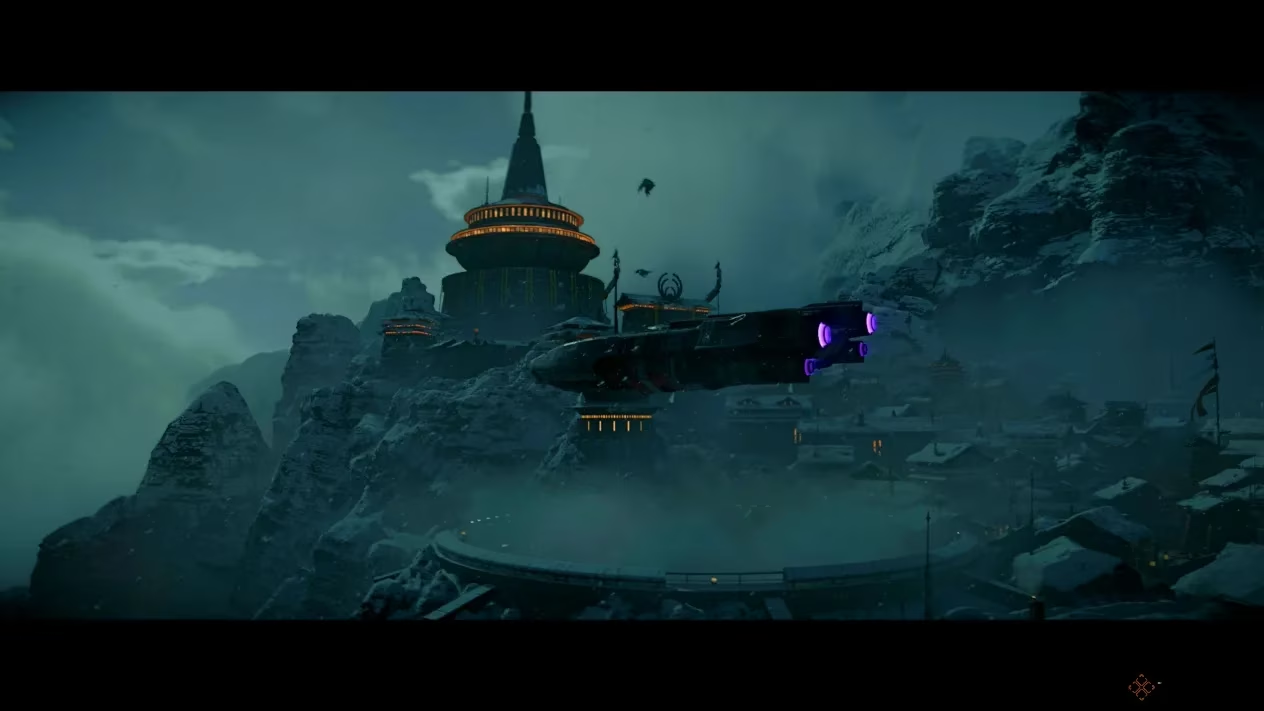
The beauty of this system is that once the hyperdrive is yours, the four planets become a crisscrossing web of opportunity. You can warp to Tatooine to chat with Jabba’s cronies, jump to Akiva for a jungle skirmish, and then slip back to Toshara before your wanted level boils over – all without a loading screen breaking the spell. In 2026, some newer players ask me if the process changed with updates. It hasn’t. The core remains identical, and I’m glad. That simplicity is what makes the galaxy feel like a living, breathing road trip rather than a menu maze.
To sum it up for anyone diving in today: stick to the main missions until “The Wreck” is behind you, then climb into orbit, press right on the D-Pad to awaken the hyperdrive, pick your destination, shove those sticks forward, and glide down when the landing cue appears. It might sound clinical on paper, but in the moment, it feels like slipping a key into the ignition of the entire Outer Rim. I’ve spent the last two years learning every back alley and desert dune this game has to offer, and that first warp still stays with me – a sudden, bright bloom of possibilities just waiting to be plucked.
For those looking to dive into the galaxy and experience the thrill firsthand, finding the right platform or deal to start your journey is crucial. The vast universe of gaming offers countless options, but ensuring you get the best value can make all the difference in your adventure. Whether you're a seasoned explorer or just setting out, knowing where to look can save you both time and credits.
If you're curious about the latest offers or want to see where you can snag the game at a great price, be sure to check game prices. It’s a handy resource for comparing deals and ensuring your next epic journey doesn’t start with an overpriced hyperdrive. Happy travels, and may the stars guide your way!